Magic Light AI - Create Stunning AI Story Videos Effortlessly

Magic Light AI: Elevate Your Storytelling with AI Videos

Can artificial intelligence change how we tell stories? As a digital marketing pro, I’m always searching for new tools to grab people’s attention. Magic Light AI is one such tool, providing a complete solution for making, editing, and customising videos.

Imagine turning your stories or scripts into engaging videos quickly. With Magic Light AI, this is possible. This advanced tech lets you create top-notch videos up to 30 minutes long. It’s perfect for marketers, teachers, and anyone making content.

As we dive into Magic Light AI, you’ll see how it can boost your storytelling. It changes how you make content.

Key Takeaways

  • Magic Light AI is an all-in-one AI video generator and editor.
  • It can turn stories or scripts into videos with consistent characters.
  • Videos can be up to 30 minutes long, giving you lots of storytelling options.
  • It’s great for marketers, educators, and content creators wanting to engage their audience.
  • It marks a big step forward in AI video technology.

Understanding Magic Light AI

To get the most out of Magic Light AI, it’s important to know how it works. This video creation tool uses AI to make videos from text. It’s perfect for making interesting content.

What is Magic Light AI?

Magic Light AI is a cutting-edge AI video editing tool. It makes creating videos easy by using smart AI. This means you can make top-notch videos without needing to be an expert.

Using Magic Light AI has many advantages:

  • Automated video production
  • Customisable video content
  • High-quality video output

The Technology Behind Magic Light AI

The tech behind Magic Light AI is what makes it stand out. It combines advanced AI with powerful processing. This lets Magic Light AI make great videos fast and well.

AI Algorithms Explained

Magic Light AI’s AI algorithms work by turning text into video. They use complex machine learning. This training on lots of data makes the videos accurate and engaging.

Processing Capabilities

Magic Light AI’s processing power means it can render videos quickly. It uses top-notch computing to handle complex tasks. This ensures your videos are ready fast.

Magic Light AI – Create Stunning AI Story Videos Effortlessly

Magic Light AI changes how we tell stories, making it easy to create stunning AI story videos. This part looks at what Magic Light AI can do and how it makes video making simple.

Core Capabilities

Magic Light AI has cool features that make storytelling with AI easy. Its simple interface lets users play with tools and settings without getting stuck on tech stuff.

It has AI video making, custom options, and lots of templates. These help users make videos that grab people’s attention.

User Experience Overview

Magic Light AI is easy to use and fun. It’s made so users can learn it fast.

First Impressions

People love Magic Light AI at first, saying it’s easy and the videos are great. The simple design and step-by-step guides make starting out fun and encouraging.

Learning Curve Assessment

Learning Magic Light AI is easy, thanks to its design and help resources. Users can quickly go from beginner to expert, using the platform’s advanced tools to tell better stories.

By effortlessly making engaging story videos, users can connect with their audience better. They can reach their communication goals with Magic Light AI.

Key Features of Magic Light AI

Exploring Magic Light AI’s features shows how it changes video making. It’s a software that makes AI story videos and artificial intelligence videos easy to create. Magic Light AI is a top tool in the field.

AI-Powered Video Generation

Magic Light AI’s AI-powered video generation is a key feature. It lets users make high-quality videos with little effort. The AI uses advanced algorithms to create engaging and attractive content.

The AI engine can make many types of videos. This includes explanatory and narrative videos, making it useful for different needs.

Customisation Options

Magic Light AI has many customisation options. You can adjust text overlays, animations, and transitions. This helps create a unique look for your brand or project.

These options let you match your videos with your marketing or creative goals. This boosts the impact of your content.

Template Library

The template library is a key feature of Magic Light AI. It offers a wide range of pre-designed templates. These templates are for different video types and styles, helping with your projects.

Pre-made Templates

The pre-made templates in Magic Light AI save time. With many templates available, you can easily start your video. Then, you can customise it to meet your goals.

Custom Template Creation

Magic Light AI also lets you create custom templates. This means you can design templates from scratch. You can tailor them to your needs or brand guidelines, ensuring your videos look consistent.

The User Interface Experience

Exploring Magic Light AI, I’m impressed by its user-friendly design. It makes video creation easy for everyone, no matter their skill level.

Dashboard Navigation

Using the Magic Light AI dashboard is smooth. It’s clean and easy to navigate, with everything labelled clearly. The main features are right in front of you, making it simple to find what you need.

The dashboard is split into sections, each with its own tools. For example, the video creation area has lots of templates and ways to customise. Here’s a quick look at the dashboard’s main parts:

Component Description Benefits
Video Creation Access to video templates and customisation options Simplifies the video creation process
Template Library A collection of pre-designed templates for various use cases Saves time and inspires creativity
Export Options Flexible export settings for different formats and resolutions Ensures compatibility with various platforms

Ease of Use Assessment

Overall, Magic Light AI is very easy to use. The interface helps you through the video making process, with clear steps and tips. Even if you’re new to AI video editing, starting is easy.

The platform’s ease is boosted by its strong features, like AI-powered video generation and customisation. This mix of power and simplicity makes Magic Light AI a top pick for creating quality videos without hassle.

Creating Your First Video with Magic Light AI

Magic Light AI’s guide makes creating high-quality videos easy. It’s designed for everyone, no matter your experience. This makes video making simple and fun.

Step-by-Step Guide

To create stunning AI story videos, just follow these steps:

  1. Sign in to your Magic Light AI account and go to the dashboard.
  2. Choose a template or start from scratch, based on what you like.
  3. Add text, images, and audio to your video as you see fit.
  4. Use AI tools to improve your video, like automatic editing and effects.
  5. Check your video to make sure it looks good.
  6. Export your video in the format and resolution you want.

By following these steps, you can effortlessly create stunning AI story videos that grab your audience’s attention.

Tips for Optimal Results

To get the best out of Magic Light AI’s video making software, try these tips:

  • Make your script short and interesting to keep viewers watching.
  • Use top-notch images and audio to boost your video’s quality.
  • Try out different templates and styles to find the perfect fit for your story.

By using these tips and Magic Light AI’s features, you can make ai story videos that really pop.

Advanced Storytelling Techniques

The art of storytelling is changing with AI. It’s important to understand how AI can help make your videos more engaging. Magic Light AI offers tools that can take your storytelling to the next level.

Narrative Structure in AI Videos

A good narrative structure is key to keeping your audience interested. When making AI videos, remember these points:

  • Clear storyline: Your video should have a clear message and flow.
  • Pacing: Adjust the speed of your story to keep viewers hooked.
  • Character development: Use AI to create characters that your audience can relate to.

By focusing on these aspects, you can craft a story that grabs and holds your audience’s attention.

AI video narrative structure

Emotional Engagement Strategies

Creating emotional connections is vital for memorable AI videos. Here are some tips to achieve this:

  • Use emotive visuals: AI can help you create visuals that stir emotions.
  • Personalisation: Make your story resonate with your audience’s feelings and experiences.
  • Story arcs: Build a story that has ups and downs, keeping viewers interested.

By using these strategies, you can make AI videos that not only engage but also inspire your audience.

Technical Performance Analysis

Magic Light AI is a top-notch video creation tool. It uses advanced AI video editing technology. This makes it easy to make high-quality videos quickly. Let’s look at what makes Magic Light AI a powerful tool for automated video production.

Processing Speed and Quality

Magic Light AI is fast without losing video quality. Its AI editing is made to balance speed and quality. This means you can make professional videos much quicker than before.

A study found Magic Light AI cuts video production time by up to 50%. This is great for businesses and individuals who need to make quality content fast.

“The integration of AI in video editing has revolutionized the industry, enabling faster and more efficient production of high-quality videos.” –

Video Editing Expert

Output Formats and Resolution

Magic Light AI supports many output formats and resolutions. It’s perfect for social media, marketing, or educational videos. You can customize your output to fit your needs.

Video Quality Options

You can pick from HD, Full HD, and 4K resolutions. This ensures your video looks clear and detailed.

Rendering Performance

Magic Light AI is fast and efficient in rendering videos. It uses advanced technologies to render videos quickly without losing quality.

Resolution Rendering Time Output Quality
HD 5 minutes High
Full HD 10 minutes Very High
4K 20 minutes Excellent

Integration Capabilities

Magic Light AI is a top-notch video making software. It works well with many platforms. This makes it a key tool for those creating ai story videos and artificial intelligence videos.

Compatible Platforms and Software

Magic Light AI fits well with lots of platforms and software. This lets you add it to your current workflow easily. It works with popular video editing software, boosting your creativity.

It also works on different operating systems. So, you can work on your projects on any device.

The software also connects with social media. This is great for marketers and content creators. They can share their artificial intelligence videos fast.

Export and Sharing Options

Magic Light AI has flexible export and sharing options. You can export videos in many formats. This is perfect for different platforms and uses.

It also lets you share videos directly to social media and video hosting sites. This makes it easy to get your ai story videos to your audience.

You can also customise export settings. This includes things like resolution and file size. This is important for professionals who need to follow strict rules.

Customer Support and Resources

Customer support is key to the Magic Light AI experience. It helps users get the most out of their video creation. Magic Light AI offers a lot of resources to help users use its features well.

Documentation and Tutorials

Magic Light AI has a big library of guides and tutorials. These help users learn about the platform’s features. There are guides for beginners and advanced tutorials for customising videos.

The resources cover many topics. They include tips on how to get the best results with the tool.

Support Channels and Response Times

Magic Light AI also has different ways to help users. You can get support through email, live chat, and an online help centre. The team responds quickly, so users can keep working on their projects.

This shows Magic Light AI’s commitment to a good user experience. It’s all about making sure users can work efficiently.

customer support for AI video editing

Pricing Structure and Value Assessment

It’s important to know how much Magic Light AI costs to see if it’s worth it for your video needs. This tool is great for making AI story videos. It has different plans for various users and budgets.

Subscription Plans

Magic Light AI has several plans to fit your needs. These plans are flexible, so you can pick the best one for your budget and video needs.

Plan Features Price
Basic Access to basic video templates, limited AI video generation £9.99/month
Premium Advanced video templates, unlimited AI video generation, priority support £29.99/month
Enterprise Custom video solutions, dedicated support, advanced analytics Custom Pricing

Cost-Benefit Analysis

When looking at Magic Light AI’s value, think about what it offers for the price. It makes video making easier and better with its AI features. This can really help you work faster and make better videos.

The Premium plan, at £29.99/month, has great features for professionals and businesses. By looking at the cost and what you get, you can decide if it’s a good deal.

Key Considerations:

  • Video production needs and frequency
  • Budget constraints
  • Required features and support level

Think about these points and compare them to Magic Light AI’s plans. This will help you decide if it’s a good choice for your video making needs.

Magic Light AI vs. Competitors

When looking at AI video tools, it’s key to compare Magic Light AI with others. It’s a top tool for making ai story videos. It faces stiff competition from RunwayML and Synthesia, among others.

Feature Comparison

To see how Magic Light AI stacks up, we must look at its features. We should compare AI video making, customisation, and video quality.

Comparison with RunwayML

RunwayML is a top video creation tool with advanced AI features. Magic Light AI and RunwayML both make high-quality videos. But Magic Light AI is easier to use and has a simpler workflow.

Experts say Magic Light AI is great for those who aren’t tech-savvy. Its interface makes video making easier.

Comparison with Synthesia

Synthesia is known for its realistic avatars. Magic Light AI focuses more on storytelling and visuals. A recent review praised Magic Light AI for its storytelling ability.

“The narrative capabilities of Magic Light AI are unparalleled, making it a preferred choice for creators looking to tell complex stories.”

Performance Benchmarks

Speed and quality are key when picking an AI video tool. Magic Light AI is fast and makes high-quality videos. It’s good for projects with tight deadlines.

Here’s a comparison of key performance metrics:

Tool Processing Speed Output Quality
Magic Light AI Fast High
RunwayML Fast High
Synthesia Moderate High

In conclusion, Magic Light AI is a strong player in the AI video market. Its unique features and performance make it a top choice. Knowing how it compares to others helps you choose the best tool for ai story videos.

Ideal Use Cases for Magic Light AI

Magic Light AI is a versatile tool for many industries, from marketing to education. It helps create engaging ai story videos. This opens up new ways for storytelling and content making.

Marketing and Advertising

In marketing and advertising, Magic Light AI shines. It lets businesses make high-quality, engaging videos that show their brand’s heart. Marketers can use this video making software to:

  • Create compelling product demos
  • Make narrative-driven ads
  • Boost customer engagement through stories

Educational Content

Educators can also use Magic Light AI in their teaching. It helps make educational videos interactive and informative. This makes hard topics easier to understand. Some uses include:

  • Lecture summaries
  • Interactive tutorials
  • Engaging explainer videos

Social Media Storytelling

For social media, Magic Light AI is a great tool for storytelling with ai. Creators can make stories that grab their audience’s attention. This boosts engagement and visibility. Key benefits are:

  • Enhanced visual appeal
  • Increased audience engagement
  • Improved brand consistency

Exploring these use cases shows Magic Light AI’s power. It’s a versatile tool for content creation and storytelling with ai.

Limitations and Areas for Improvement

Exploring Magic Light AI shows its strengths and weaknesses. It’s a strong video creation tool, but knowing its limits helps users get the most out of it.

Current Constraints

Magic Light AI needs high-quality data to work best. Its AI video editing skills might falter with poor or low-resolution sources. Also, the options for customising videos depend on your subscription.

Constraint Description Impact
Input Data Quality Requires high-quality source materials Affects output video quality
Customisation Options Limited by subscription plan Restricts advanced features
Processing Time Can be lengthy for complex projects Impacts user productivity

Future Development Roadmap

The team behind Magic Light AI is always improving it. They aim to make the AI video editing faster and better. They also plan to add more templates and customisation options.

Knowing Magic Light AI’s current and future capabilities helps users. As it grows, it will likely play a bigger role in video creation.

Conclusion: Is Magic Light AI Worth It?

Magic Light AI is a powerful tool for making AI story videos. It has strong features and is easy to use. This makes it a game-changer for video content creation.

I’ve looked at Magic Light AI’s main features, how well it works, and how it fits with other tools. It seems to be a flexible video software. It works well for marketing, education, and social media.

When we look at the cost, Magic Light AI is a good deal. It makes high-quality AI videos quickly. This makes it a great choice for improving your storytelling.

Whether Magic Light AI is worth it depends on what you need. If you want a top-notch video software to boost your content, Magic Light AI is a good choice.

Use my Affiliate Code Here: MAGIC LIGHT AI And Get an exclusive discount for you to give it a try Today!

FAQ

What is Magic Light AI and how does it work?

Magic Light AI is a tool that uses AI to make videos from text. It’s easy to use and makes high-quality content. It works by taking your text and making a video based on what you want.

Can I customise the videos created with Magic Light AI?

Yes, you can change the videos to fit your needs. You can pick from templates, change the story, and style of the video.

What are the ideal use cases for Magic Light AI?

Magic Light AI is great for many things. It’s good for marketing, teaching, and making social media videos. It’s perfect for marketers, teachers, and anyone who makes content.

How do I create a video with Magic Light AI?

Making a video with Magic Light AI is easy. Just type in your text, pick a template and style, and it makes a great video for you.

What are the technical requirements for using Magic Light AI?

You need a fast internet to use Magic Light AI. It works with many platforms and software, making it easy to use in your work.

Can I export and share my videos created with Magic Light AI?

Yes, you can share your videos easily. You can post them on social media, put them on your website, or edit them more.

What kind of customer support does Magic Light AI offer?

Magic Light AI has great support. They have guides, tutorials, and help channels to help you use the tool well and solve problems.

How does Magic Light AI compare to other AI video generation tools?

Magic Light AI stands out with its AI video making, custom options, and easy use. Comparing it with others can help you choose the best for you.

What are the limitations of Magic Light AI?

Magic Light AI is powerful but has some limits. It’s always getting better, with plans to fix these issues in the future.

Is Magic Light AI worth the investment?

Thinking about the cost and benefits can help decide if Magic Light AI is right for you. It’s great for making quality content easily, which is valuable for many.

Can I use Magic Light AI for automated video production?

Yes, Magic Light AI is perfect for making videos automatically. It helps you make great videos quickly and efficiently, great for businesses and individuals.

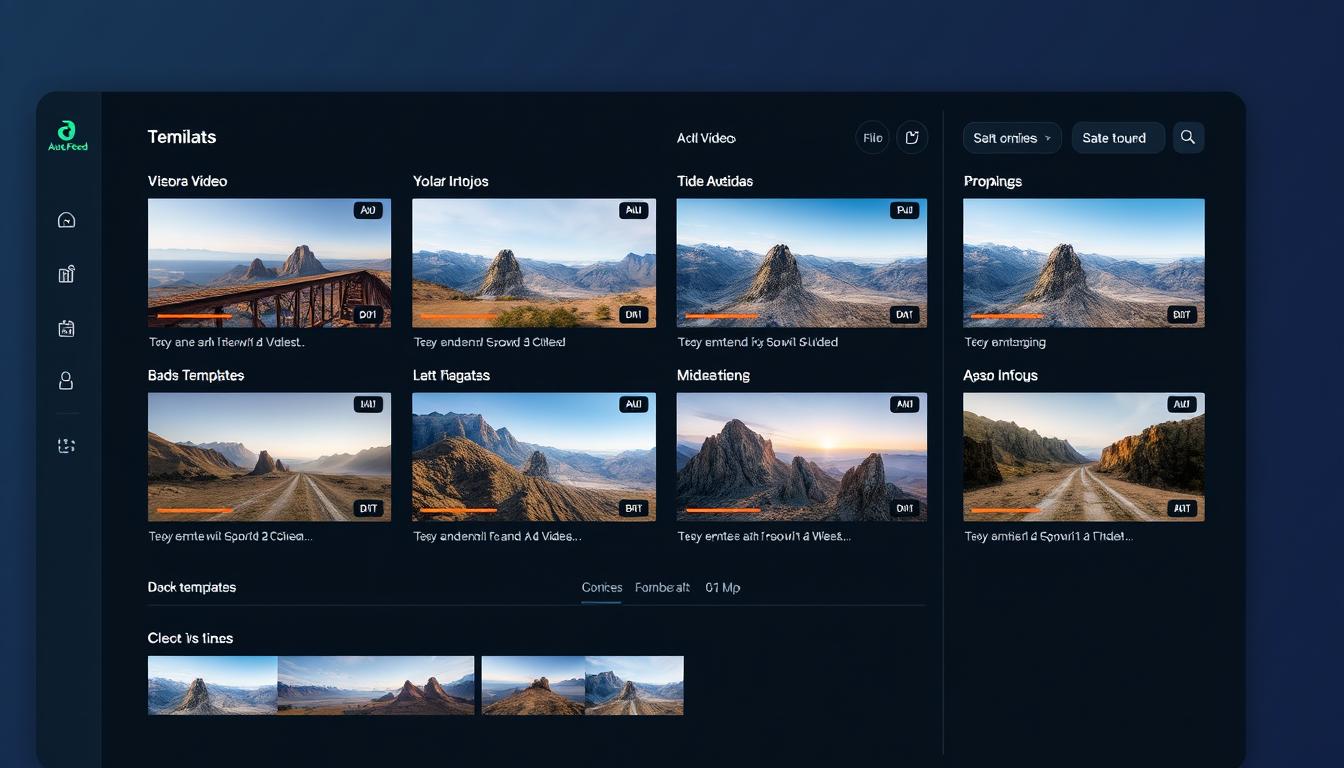
Auto Feed AI interface showing video creation dashboard

Auto Feed AI: Transform Your Video Creation Process in Seconds

Creating engaging videos for social media used to be a time-consuming challenge requiring technical skills and expensive software. Not anymore. Auto Feed AI is revolutionizing content creation by enabling anyone to produce professional-quality videos in seconds using the power of artificial intelligence. Whether you’re a content creator, marketer, or business owner, this innovative tool eliminates the technical barriers and time constraints of traditional video production.

Ready to transform your video content?

Join thousands of creators who are saving time and driving engagement with AI-powered videos.

Start Creating with Auto Feed AI Today!

Powerful AI Video Creation Features That Set Auto Feed AI Apart

Auto Feed AI combines cutting-edge artificial intelligence with user-friendly design to make video creation accessible to everyone. Here’s what makes this tool a game-changer for content creators and marketers:

AI-Powered Video Generation

Create stunning motion-based videos completely generated by AI. Auto Feed AI uses advanced algorithms to transform simple text prompts into visually compelling content that looks professionally produced.

Faceless Video Creation

Build a faceless channel with unique, engaging videos across viral categories. Perfect for creators who want to maintain privacy while still producing high-quality content that resonates with audiences.

UGC-Style AI Avatars

Generate human-like UGC content with AI avatars that create authentic-looking testimonials and demonstrations. Create compelling “hook & demo” videos that drive engagement and conversions.

Auto-Posting Capabilities

Set up your video series once, and Auto Feed AI’s intelligent agents will generate and automatically post unique videos to all your social channels according to your preferred schedule.

Trending Categories

Access 25+ viral categories like Cat Stories, Celebrity Facts, and Freaky Gram to capitalize on the latest social media trends and maximize your content’s reach and engagement.

Multilingual Support

Create videos in 30+ languages from English to Farsi, allowing you to reach global audiences and expand your content’s impact across different markets and demographics.

Unlock these powerful features today

Join thousands of content creators already using Auto Feed AI to revolutionize their video production.

Try Auto Feed AI Now!

Transform Your Content Strategy with Auto Feed AI Benefits

Auto Feed AI doesn’t just make video creation easier—it completely transforms how you approach content production. Here’s how this powerful tool can revolutionize your workflow:

Person creating videos with Auto Feed AI on laptop

Save Hours of Production Time

What used to take hours or even days now happens in seconds. Auto Feed AI’s lightning-fast processing means you can create multiple high-quality videos in the time it would normally take to produce just one using traditional methods.

This dramatic time savings allows you to focus on strategy and distribution rather than getting bogged down in technical production details.

Professional Results Without Technical Skills

You don’t need video editing experience or expensive software to create professional-looking content. Auto Feed AI handles all the technical aspects of video production, from scene transitions to text overlays.

The intuitive interface guides you through the process, making it accessible even to complete beginners while still delivering results that look professionally produced.

Consistent Content Pipeline

Maintain a steady flow of fresh content without burnout. Auto Feed AI’s automation features allow you to schedule and generate videos consistently, helping you maintain presence and engagement across all your social platforms.

This consistency is key to building audience relationships and improving algorithm performance on platforms like TikTok, YouTube Shorts, and Instagram.

Scale Your Content Operation

Whether you’re managing one channel or ten, Auto Feed AI scales with your needs. Create content for multiple platforms simultaneously without increasing your workload or hiring additional team members.

This scalability makes it perfect for growing businesses and content creators looking to expand their reach without proportionally increasing their production costs.

Multiple Auto Feed AI generated videos displayed on social media platforms

Ready to experience these benefits firsthand?

Join the community of creators who have transformed their content strategy with Auto Feed AI.

Start Creating Amazing Videos Today!

Who Can Benefit from Auto Feed AI?

Auto Feed AI is designed to serve a wide range of content creators and businesses looking to enhance their video marketing strategy. Here’s how different users are leveraging this powerful tool:

Content creator using Auto Feed AI to make videos

Content Creators

Maintain a consistent posting schedule across multiple platforms without sacrificing quality or burning out. Create faceless videos that allow you to maintain privacy while still building a strong audience connection.

  • Generate trending content in minutes
  • Maintain anonymity with faceless videos
  • Scale content across multiple channels

Marketing professional using Auto Feed AI for brand campaigns

Digital Marketers

Create compelling UGC-style ads that drive conversions without the high costs of traditional production. Test multiple video concepts quickly to identify top performers before scaling your ad spend.

  • Produce UGC-style ads at scale
  • A/B test video concepts efficiently
  • Reduce production costs significantly

Small business owner using Auto Feed AI for product videos

Small Business Owners

Compete with larger brands by creating professional-quality video content without hiring a production team. Showcase products and services with compelling visuals that drive customer engagement.

  • Create professional product demos
  • Build brand awareness affordably
  • Compete with larger competitors

Auto Feed AI vs. Traditional Video Creation Methods

Understanding how Auto Feed AI compares to conventional video production methods helps illustrate why it’s becoming the preferred choice for content creators and marketers:

Feature Auto Feed AI Traditional Video Editing
Creation Time Seconds to minutes Hours to days
Technical Skills Required Minimal to none Extensive training needed
Equipment Costs Just a computer and internet Camera, lighting, software, etc.
Scaling Content Effortlessly create multiple videos Linear time increase per video
Consistency Automated scheduling ensures regular posting Manual process prone to burnout
Iteration Speed Test new concepts in minutes Days to implement changes

Ready to experience the Auto Feed AI advantage?

Join thousands of creators who have already made the switch to faster, easier video creation.

Try Auto Feed AI Today!

What Users Are Saying About Auto Feed AI

Don’t just take our word for it. Here’s what real users have experienced after incorporating Auto Feed AI into their content strategy:

Testimonial from content creator using Auto Feed AI

“Auto Feed AI is the best platform I’ve tried. It’s super intuitive and generates great scripts. The quality is off the charts and doesn’t look fake like other AI video tools.”

Alex J. Cooper • Content Creator

Testimonial from marketing professional using Auto Feed AI

“Much BETTER categories than competitors. The auto-posting feature is a game-changer for someone like me who manages multiple channels. Price to value is a no-brainer.”

Yekaterina M. • Digital Marketer

Testimonial from student entrepreneur using Auto Feed AI

“Costs $50 bucks and makes me over $1.5K a month from YouTube shorts… seems like a good deal to me! Hands down the best text-to-video generator out there.”

Jason W. • Student Entrepreneur

Join thousands of satisfied users

Experience the same results these creators are achieving with Auto Feed AI.

Start Creating Amazing Videos Now!

How Auto Feed AI Works: Simple Steps to Amazing Videos

Creating professional-quality videos with Auto Feed AI is remarkably straightforward. Here’s how you can get started in just a few simple steps:

Step-by-step process of creating videos with Auto Feed AI
  1. Choose Your Video Type

    Select from faceless videos, AI UGC ads, or motion-based AI videos depending on your content goals. Browse through 25+ trending categories to find the perfect match for your audience.

  2. Customize Your Content

    Input your specific parameters, keywords, or script ideas. Auto Feed AI will generate optimized content based on your inputs while maintaining high quality and engagement potential.

  3. Generate and Publish

    With one click, Auto Feed AI creates your video in seconds. Review the result, make any adjustments if needed, and publish directly to your social channels or download for manual posting.

  4. Set Up Auto-Posting (Optional)

    Configure Auto Feed AI to automatically generate and post new videos to your channels according to your preferred schedule, ensuring consistent content delivery without ongoing manual work.

Pro Tip: For maximum engagement, try creating multiple variations of your videos using different templates and A/B test them to see which performs best with your audience before scaling up production.

Ready to create your first video?

It only takes minutes to get started with Auto Feed AI.

Start Creating Now!

Frequently Asked Questions About Auto Feed AI

Get answers to common questions about using Auto Feed AI for your video content creation:

Do I need technical skills to use Auto Feed AI?

No technical skills are required. Auto Feed AI is designed with an intuitive interface that guides you through the video creation process. If you can use basic web applications, you can create professional videos with Auto Feed AI.

How much time does it take to create a video?

Most videos can be generated in seconds to minutes, depending on complexity and length. The entire process from concept to finished video typically takes less than 5 minutes, compared to hours or days with traditional methods.

Can I customize the videos to match my brand?

Yes, Auto Feed AI offers various customization options including text overlays, visual styles, and content themes. You can adjust these elements to align with your brand identity and messaging.

What social platforms can I post to automatically?

Auto Feed AI supports auto-posting to major platforms including YouTube, TikTok, Instagram, and more. You can set up posting schedules for each platform independently to maintain an optimal content calendar.

Is there a limit to how many videos I can create?

Video creation limits depend on your subscription plan. Auto Feed AI offers various tiers to accommodate different content volume needs, from occasional creators to high-volume agencies and businesses.

Transform Your Content Strategy with Auto Feed AI Today

Video content is no longer optional for creators and businesses looking to make an impact online. With Auto Feed AI, you can overcome the traditional barriers of time, technical skill, and production costs that have prevented you from fully leveraging the power of video.

Join thousands of content creators, marketers, and business owners who are already using Auto Feed AI to transform their content strategy, save countless hours, and achieve professional results that drive engagement and conversions.

Auto Feed AI dashboard showing completed video projects

Don’t Waste Time on Video Editing

Start creating professional AI videos in seconds with Auto Feed AI!

✅ Create highest quality faceless videos

✅ Use AI actors to create UGC ads

✅ Auto-post to all your channels

Try Auto Feed AI Now!

The future of content creation is here. Don’t get left behind while your competitors leverage AI to create more content in less time.

👉 Try Auto Feed AI Now